
This article will explain you how to change your password in the Smila system in case you have forgotten it. To follow the instructions you need to make sure that the following requirements are fulfilled:
- you have a caregiver or company admin account in the Smila cloud
- you have participated in a official Smila training
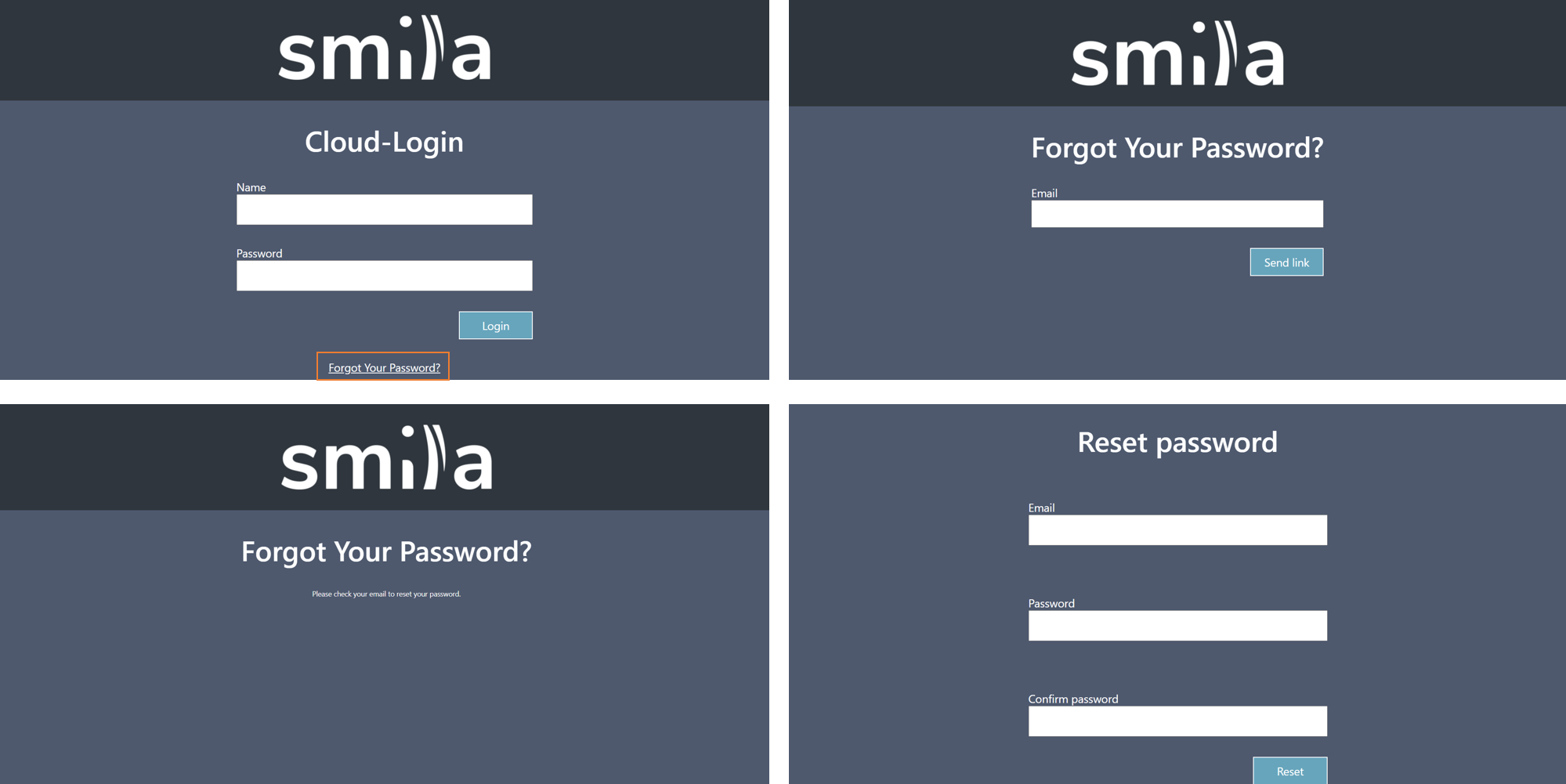
Step-by-Step instructions:
- Open the cloud starting page via your internet browser. As a browser please use Mozilla Firefox, Google Chrome or Microsoft Edge. Internet Explorer is not supported.
- Click Forgot your Password? in order to change it.
- Enter the email address where the reset link should be sent to. Click Send link.
- An link will be sent to your email adresse. Click on it in order to reset your password.
- Type in your registerd email adress as well as your new password. Finalize by clicking on Reset.
Comments
0 comments
Please sign in to leave a comment.