
This article will explain you how to change your password in the Smila system. To follow the instructions you need to make sure that the following requirements are fulfilled:
- you have a caregiver or company admin account in the Smila cloud
- you have participated in a official Smila training
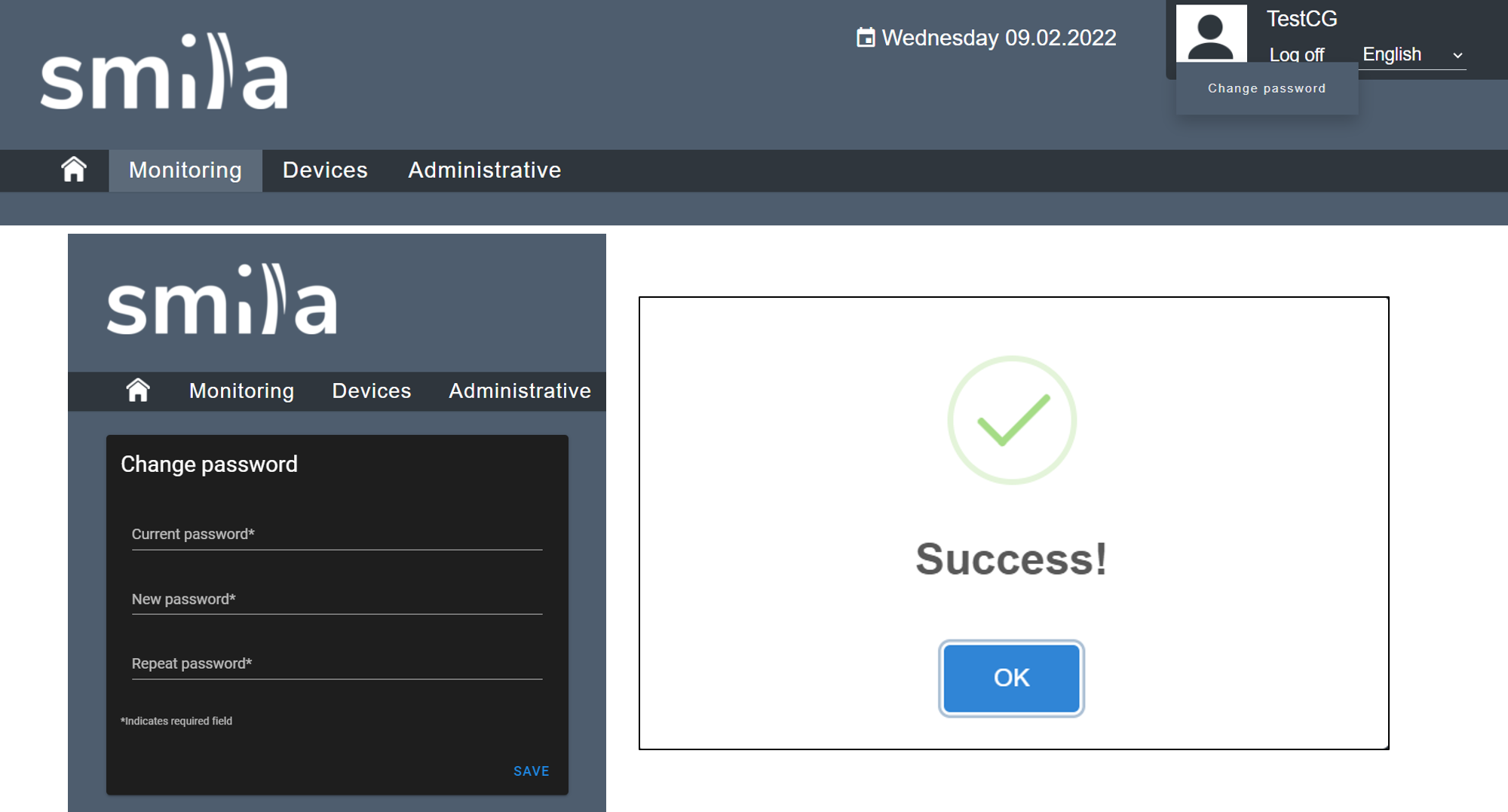
Step-by-Step instructions:
- Login to the cloud with your credentials.
- Hover over the user image with the mouse, then click Change password.
- Enter your "Current password" als well as the "New password" and repeat the new one.
- With clicking an Save you confirm the new password.
Comments
0 comments
Please sign in to leave a comment.